
Efficient Solutions for Industrial Needs
Artec Spider II 3D Scanner
Precise 3D scanner captures fine details and complex shapes quickly and easily. Ideal solution for industrial dimensional accuracy requirements.
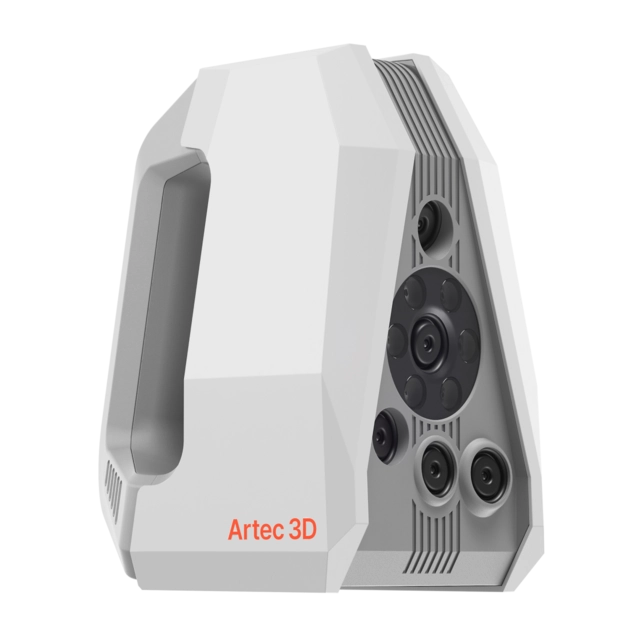
3D scanner for complex details and small parts
Artec Spider II is designed for precise and effortless 3D scanning, especially for capturing complex objects, sharp edges and fine details. The scanner’s impressive 0.05 mm resolution ensures that all objects, from engraved coins to large industrial parts, are digitised accurately and faithfully. The result is flawless 3D models combining precise geometry and a rich color palette. Artec Spider II’s fast data collection and markerless operation make scanning intuitive and easy – no detail is missed.
Markerless scanning – easy and efficient
Artec Spider II enables scanning without markers, saving time and costs. Instead of installing markers, you can focus on the scanning itself, making the process faster and easier without compromising the quality of the result.
| Resolution | 0,05 mm |
| Accuracy | 0,05 mm |
| 3D Accuracy according to distance | 0,05 mm + 0,3 mm/m |
| Scan object/target area size | S–M |
| Working distance | 0,19–0,3 m |
| Storage volume | 1 800 cm³ |
| Field of view at closest distance (L × K) | 128 × 104 mm |
| Field of view at farthest distance (L × K) | 171 × 152 mm |
| Depth of field | 110 mm |
| 3D reconstruction speed in real-time merging | Up to 30 fps |
| Data acquisition speed | Up to 8 million points/s |
Unseen Precision and Detail
Spider II utilizes advanced blue light technology that combines exceptional high resolution and full-color imaging. The result is realistic and detailed 3D models that are unparalleled in the market.

Realistic Colors
Artec Spider II not only stores with high resolution, but also pays attention to the accuracy of textures.

Artec Studio
Artec Studio software for processing 3D data and creating high-quality models. Its intelligent Autopilot mode automatically guides the user through the entire process by selecting the best algorithms for the stored data. Experienced users have a manual mode available, which allows for full control of the tools. Ready-made models are directly compatible with CAD design and 3D printing.


